Simplify navigation
Reduce competing links and make the most useful destinations easier to find.
Personal project / Desktop concept
Less searching.
More playing.
An independent interface concept exploring clearer navigation, quicker access to favourite games, and more focused game discovery.
Explore the project
01 / The challenge
Steam was part of my everyday routine. When I started this project, I found the desktop interface difficult to navigate: there were plenty of things to do, but the route to each task was not always clear.
I used this personal redesign to explore how a stronger visual hierarchy and fewer competing links could make browsing the store, managing a library, and launching a game feel more direct.
02 / The approach
Reduce competing links and make the most useful destinations easier to find.
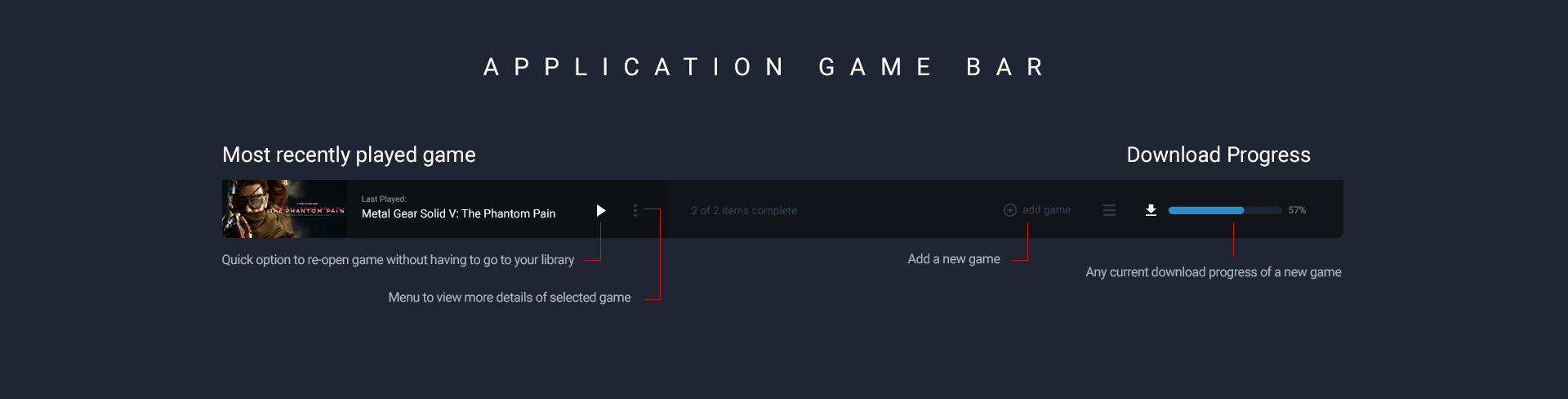
Keep recently played and favourite games close at hand with a persistent game bar.
Give each screen a clear purpose and prioritize the details that support the next decision.
03 / Design decisions
Four explorations connect the store, quick access, the game library, and game details. Select any mockup to view it at full size.
The storefront
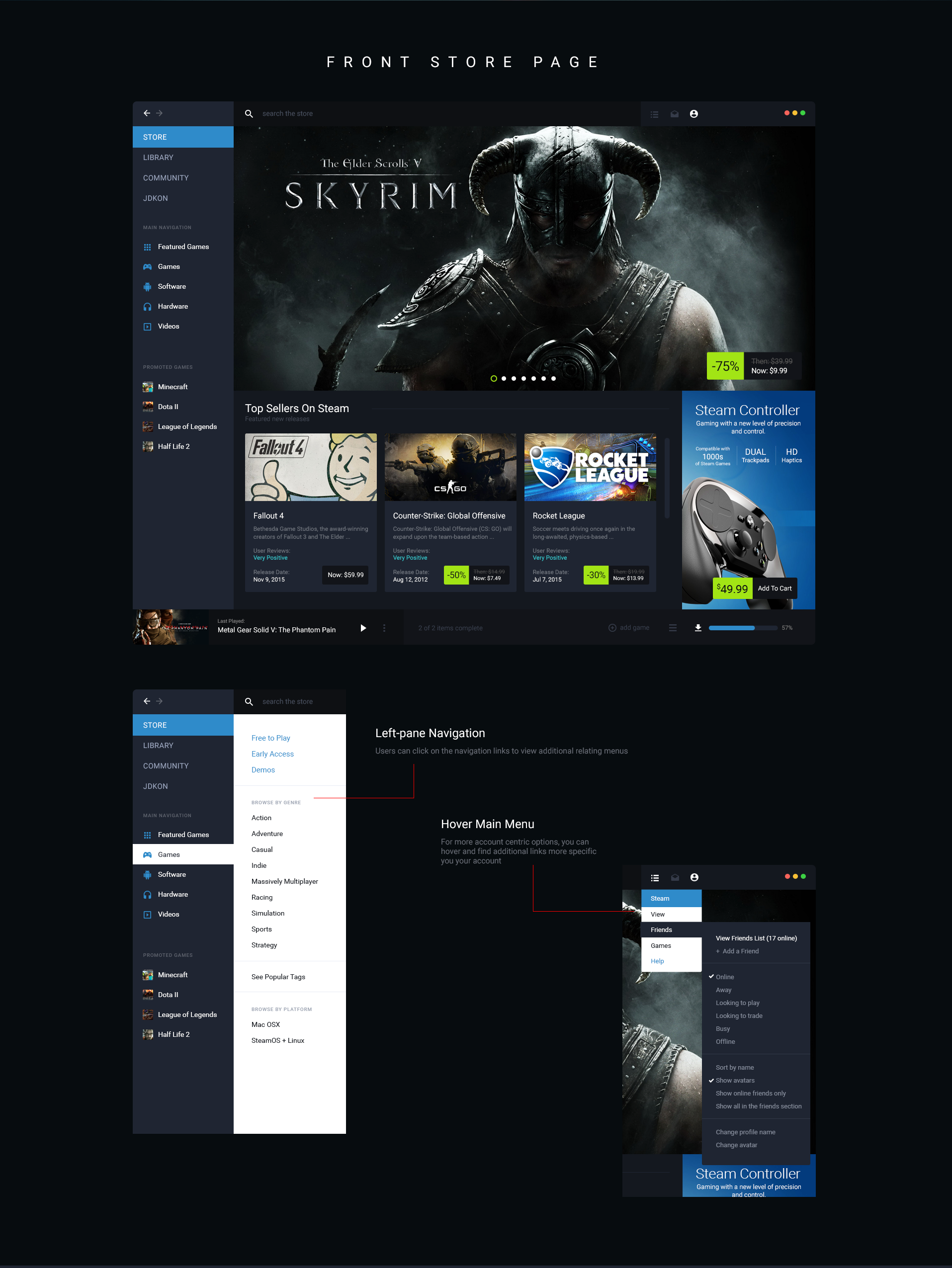
The storefront concept puts sales and popular games first, with fewer competing links. Stronger colour contrast separates navigation from content, while account options are grouped in one place.
The menus explore revealing secondary options on hover, keeping the main navigation focused until those options are needed.
The Application Game Bar
A persistent game bar provides a shortcut to the most recently played title. The concept also lets users add other games, bringing quick access into the experience without another trip through the library.
The library
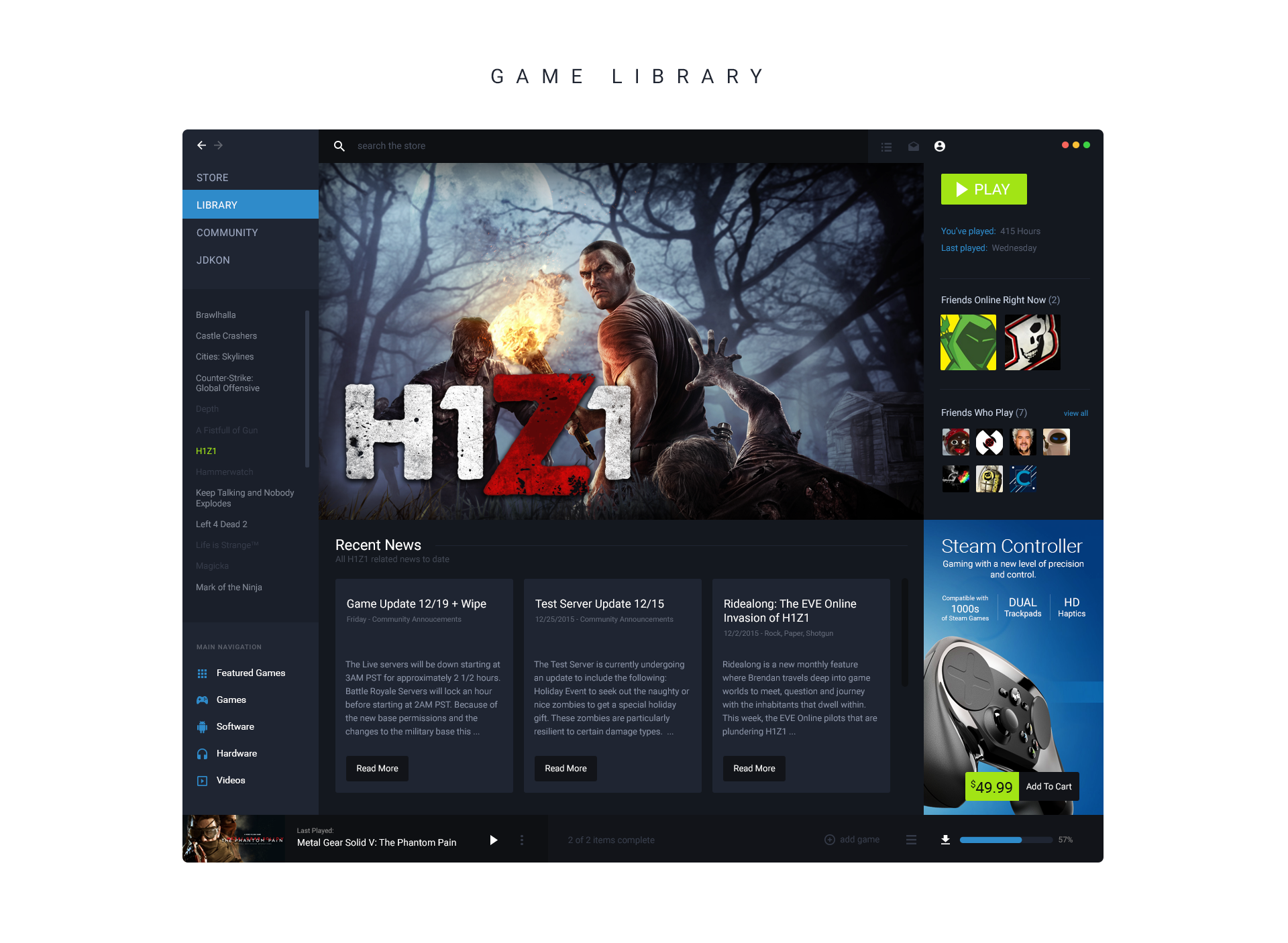
The library keeps its main navigation in view and brings application filters into the same space. Secondary game links are reduced so the launch action has a clearer place on the page.
A larger friends area makes it easier to see who is online, while game news stays connected to the selected title.
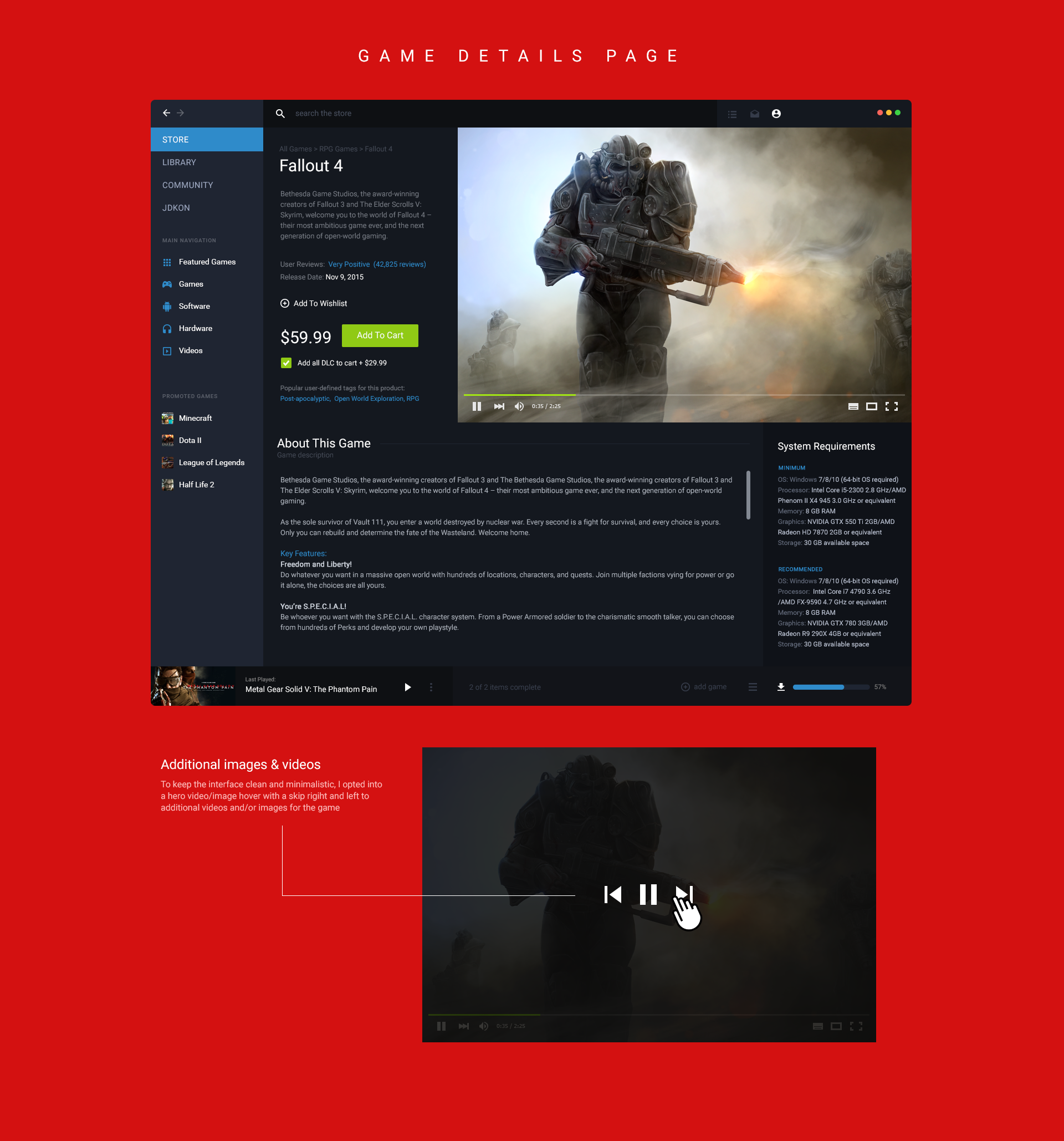
The game page
The game detail concept prioritizes trailers, reviews, and system requirements so players can assess a game before buying it.
It proposes previews that play on hover instead of autoplay, alongside a more prominent requirements section. The aim is to keep motion from competing with reading and make compatibility easier to check.
04 / The result
The result is a set of unofficial desktop mockups exploring a more focused Steam experience. This passion project gave me a way to reconsider a product I used regularly through navigation, visual hierarchy, and customization.
Independent design concept. These mockups were not implemented in Steam. Steam and its branding belong to Valve; this project is not affiliated with or endorsed by Valve.